SOLUTIONS FOR QUICK SERVICE RESTAURANTS

Quick Service Restaurant Software for Better Order Flow

In a quick-service business, the work does not stop when an order comes in. Your team needs to review incoming orders, prepare the right items, coordinate kitchen tickets and make sure orders are ready for collection at the appropriate time.

Menu Zyka’s QR Ordering and quick service restaurant POS solution is designed to support this takeaway workflow. From tracking order progress to managing preparation times, packaging charges and scheduled pickups, it gives your team a structured way to handle the stages between order placement and collection.

Whether you operate a fast-food outlet, pizzeria, takeaway restaurant or cloud kitchen, explore a solution built around the practical demands of quick-service order management.

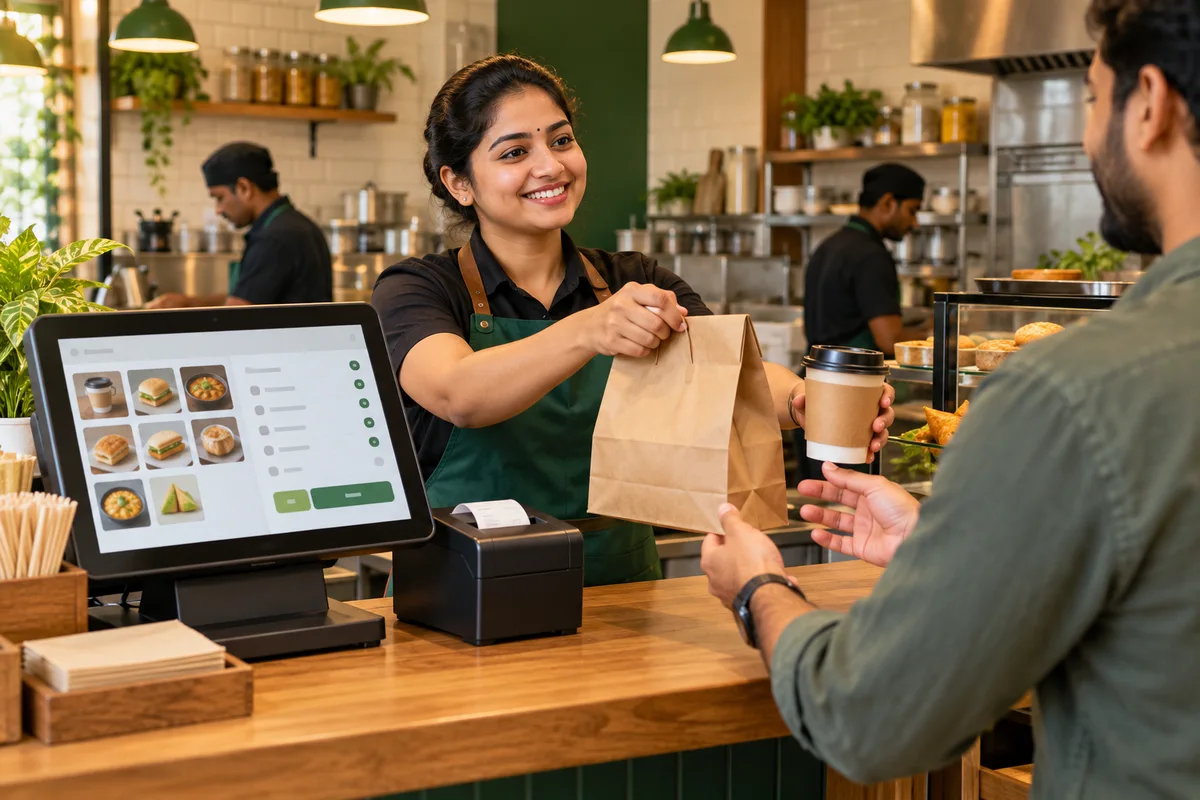
Staff handing a takeaway meal to a customer beside a restaurant POS counter
YOUR COUNTER WORKFLOW
  1. 01Capture order
  2. 02Send KOT
  3. 03Prepare & serve
Illustrative service scene
A CLEAR ORDER JOURNEY

Keep Every Takeaway Order Moving Through Its Next Step

A quick-service team needs to know what has arrived, what needs to be prepared and what is ready for collection. When several orders are in progress, a clear view of their status can help staff organise their work.

  1. 01Pending
  2. 02Accepted
  3. 03Preparing
  4. 04Ready
  5. 05Collected

Menu Zyka’s QSR POS software supports an order lifecycle from Pending and Accepted to Preparing, Ready and Collected. Its supported workflow also includes KOT routing, preparation-time settings and scheduled pickup orders.

The aim is to give your team a clearer process for handling orders as they move through the kitchen and towards collection.

Illustrative workflow. Staff manage order progress through the supported status controls.
OUR JOURNEY SO FAR

Small beginnings.
Meaningful milestones.

Restaurants onboarded
10+
Orders completed
878+
Customers served
400+
Product options
5
BUILT AROUND DAILY OPERATIONS

The Operational Challenges Behind Quick-Service Orders

Scattered receipts and paperwork overwhelm a restaurant worker. A POS screen organizes digital orders, receipts and sales information.

Keeping Incoming Orders Organised

Multiple orders may arrive close together, each with different items and requirements. A quick service restaurant POS helps provide a structured way to review orders and follow their progress through the available workflow.

A chef struggles to read several handwritten paper kitchen tickets. A chef reviews organized order tickets on a digital kitchen display.

Getting the Right Details to the Kitchen

Preparation depends on accurate order information reaching the right kitchen workflow. KOT routing helps organise the details needed to prepare each order.

A person is overwhelmed by clocks, reminders and conflicting schedules. A tablet shows an organized preparation timeline and scheduled times.

Planning Preparation and Collection

Orders do not always follow the same timing. Preparation-time settings and scheduled pickup support help businesses account for different collection requirements.

Paper order sheets, calculators and a takeaway bag represent manual entry. A POS screen shows a packaging fee automatically applied to an order.

Accounting for Takeaway Requirements

Minimum-order settings and packaging charges may form part of a takeaway business's ordering policy. Configuring these requirements helps the ordering workflow reflect the business's rules.

A hand rings a counter-service bell to announce an order. A phone notification tells staff that an order is ready for pickup.

Knowing Which Orders Are Ready

Staff need to distinguish orders still being prepared from those ready for collection. A defined order-status workflow makes these stages easier to follow.

ONE CONNECTED PRODUCT

One Solution for Your Takeaway Order Workflow

QR Ordering and Quick Service POS

Manage Takeaway Orders from Placement to Collection

Menu Zyka’s QR Ordering and Quick Service POS supports a dedicated takeaway ordering workflow for quick-service businesses. Customers can use the supported ordering link or QR code, while your team manages orders through the available order-status process.

This QSR POS software supports KOT routing, minimum-order settings, packaging charges, preparation-time settings and scheduled pickup orders. These capabilities help your team organise the information and stages involved in fulfilling takeaway orders.

Key capabilities

  • Dedicated takeaway ordering link or QR code
  • Order statuses: Pending, Accepted, Preparing, Ready and Collected
  • KOT routing
  • Minimum-order settings
  • Packaging charges
  • Preparation-time settings
  • Scheduled pickup orders
Explore QR Ordering and Quick Service POS
FIND YOUR SERVICE STYLE

Built for Different Quick-Service Business Models

For fast-food restaurants, pizzerias, takeaway outlets, cloud kitchens and other quick-service businesses that need structured takeaway order management.

Staff preparing a burger and fries takeaway order at a red and yellow fast-food counterMeals to go

Fast-Food Outlets

Organise incoming takeaway orders and track their progress through preparation and collection.

Explore Quick Service POS →
Pizza chef placing a freshly baked pizza in a takeaway box beside a terracotta pizza ovenFrom oven to pickup

Pizzerias

Manage order details, kitchen tickets, preparation timing and scheduled pickups through the supported workflow.

Explore Quick Service POS →
Kitchen staff packing takeaway meals at a stainless-steel preparation stationKitchen-first operations

Cloud Kitchens

Coordinate incoming takeaway orders, kitchen tickets and preparation for collection from a kitchen-focused operation.

Explore Quick Service POS →
Restaurant staff handing a packed food bag to a customer across a teal pickup counterPack and hand over

Takeaway Restaurants

Manage order statuses, configured packaging charges and pickup requirements through the supported ordering workflow.

Explore Quick Service POS →
Cashier taking an order at a POS terminal beside rolls and samosas at a quick-service counterReady at the counter

Quick-Service Food Businesses

Create a more structured process for handling orders that need to move from acceptance through preparation to collection.

Explore Quick Service POS →
PLAN YOUR NEXT STEP

Find the Right Solution for Your Quick-Service Restaurant

Not sure whether Menu Zyka fits your takeaway operations? Tell us about your business, how you receive orders and how your team manages preparation and collection. Our team can help you explore the relevant features and arrange a demo based on your operational requirements.

Explore Menu Zyka plans from₹199 per month

Starting price applies to Digital Menu. Contact us for Quick Service POS pricing and included features.

Explore Menu Zyka and find the solution that fits your business needs.

Talk to Us ↗

Find the Right Solution for Your Business

How Menu Zyka Fits into Your Takeaway Workflow

  1. 01

    Set Up Your Takeaway Ordering Channel

    Configure the supported dedicated ordering link or QR code for your takeaway workflow.

  2. 02

    Receive and Review Orders

    Use the order-management workflow to view incoming orders and manage their progress.

  3. 03

    Coordinate Kitchen Preparation

    Use KOT routing and preparation-time settings to support the process of organising orders for the kitchen.

  4. 04

    Prepare Orders for Collection

    Track orders as they progress towards Ready and Collected, including scheduled pickup orders where configured.

FREQUENTLY ASKED QUESTIONS

We got all your questions answered

What is quick service restaurant software?

Quick service restaurant software helps businesses organise ordering and related operational workflows. For takeaway-focused operations, this can include tracking orders, coordinating kitchen preparation and managing collection.

What is Menu Zyka QR Ordering and Quick Service POS?

It is a Menu Zyka solution designed for quick-service and takeaway order management. Supported capabilities include a dedicated takeaway ordering link or QR code, order-status tracking, KOT routing, minimum-order settings, packaging charges, preparation-time settings and scheduled pickup orders.

Can I track the progress of takeaway orders?

Yes. The supported order workflow includes Pending, Accepted, Preparing, Ready and Collected statuses, allowing staff to follow an order through its stages.

Does Menu Zyka Quick Service POS support kitchen order tickets?

Yes. The solution supports KOT routing to help organise order details for kitchen preparation.

Can I configure minimum-order requirements and packaging charges?

Yes. The supported takeaway workflow includes minimum-order settings and packaging charges, allowing businesses to configure these requirements according to their operating policies.

Can customers schedule pickup orders?

The supported workflow includes future pickup scheduling, allowing businesses to manage orders intended for collection at a later time.

Is this solution suitable for pizzerias and fast-food outlets?

Yes. The solution is relevant to pizzerias, fast-food outlets and other takeaway-focused businesses that need to organise incoming orders, kitchen preparation and collection.

How is Quick Service POS different from Menu Zyka's main restaurant solutions?

The main Restaurants solutions page focuses on dine-in workflows, such as waiter-led ordering, table management, QR table ordering and digital menu access. The Quick Service Restaurants page focuses on takeaway order progression, kitchen tickets, preparation and pickup.

Does Menu Zyka offer a separate solution for dine-in restaurants?

Yes. Menu Zyka offers Traditional Dine-In POS for waiter-led service, Smart Dine-In POS for QR-based table ordering, and Digital Menu for menu browsing. These are also covered on the main Restaurants solutions page.
Chat with us