SOLUTIONS FOR CLOUD KITCHENS

Cloud Kitchen Software for Your Everyday Order Workflow

A cloud kitchen doesn't need a dining room to have a demanding service operation. Orders still need to be received, preparation needs to be coordinated, menu information needs to stay accurate, and billing needs to be handled properly.

Menu Zyka offers cloud kitchen POS solutions to support these everyday operational needs. Manage takeaway orders through a dedicated quick-service workflow, give customers access to your digital menu, and use POS Billing for relevant billing requirements.

Whether you're launching a delivery-focused food brand, running a takeaway kitchen or managing a growing food business, discover the right cloud kitchen software for your operational needs.

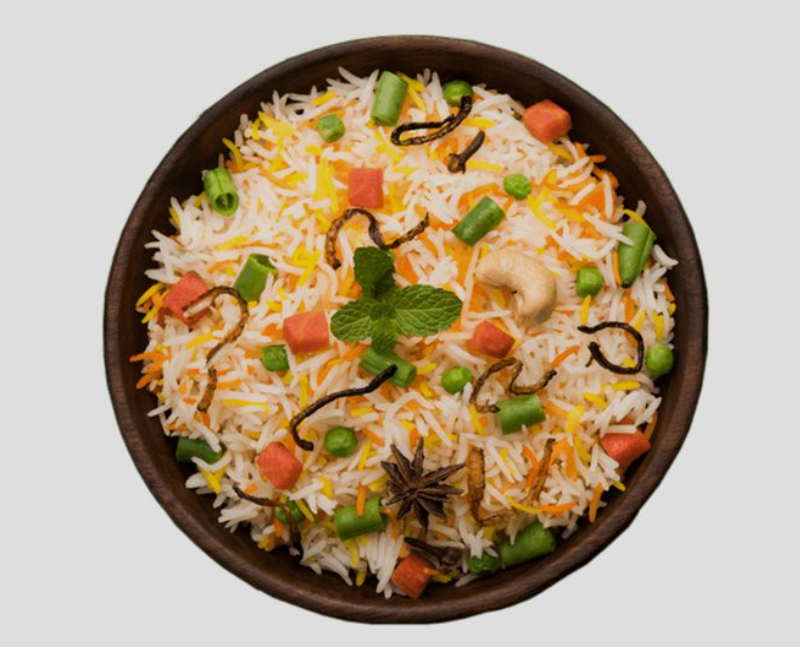
Cloud kitchen team preparing rice bowls and packing takeaway orders
OUR JOURNEY SO FAR

Small beginnings.
Meaningful milestones.

Restaurants onboarded
10+
Orders completed
878+
Customers served
400+
Product options
5
TOOLS THAT FIT YOUR KITCHEN

Your Kitchen Is the Service Counter.Your Workflow Needs to Keep Up.

In a cloud kitchen, the customer may never see the preparation process, but the way orders are handled determines how smoothly the operation runs. Incoming orders need attention, kitchen teams need clear preparation information, and completed orders need to be ready for their next step.

Menu Zyka helps you organise key parts of this process through three relevant cloud kitchen management solutions:

Menu ZykaIllustrative interface · Sample data
KITCHEN OPERATIONSTakeaway order queue
#1042Preparing

2 × Paneer rice bowl
1 × Chilli bites

Preparation: 15 min · Pickup: 12:30 PM
#1043Ready

1 × Veg biryani

Scheduled pickup: 12:45 PM
KITCHEN ORDER TICKETKOT #1042

2 × Paneer rice bowl · 1 × Chilli bites

Order note: Less spicy.

QR Ordering and Quick Service POS

Manage takeaway orders and their progress through a dedicated quick-service workflow.

Explore QR Ordering and Quick Service POS →
Menu ZykaIllustrative interface · Sample data
BROWSE OUR MENUFresh from our kitchen.
Vegetable biryani
Veg biryaniAromatic rice and vegetables₹200
Chilli bites
Chilli bitesA flavourful side₹160

Browse dishes and prices.
Order through the kitchen's usual process.

Digital Menu

Let customers browse menu categories, dishes and prices. Digital Menu does not place orders.

Explore Digital Menu →
Menu ZykaIllustrative interface · Sample data
POS BILLINGBill #1042

Walk-in customer · Sample bill

Veg biryani × 1
₹200
Chilli bites × 1
₹160
Subtotal
₹360
Illustrative tax (5%)
₹18
Total
₹378
Payment recordCash · ₹378
Illustrative amounts. Taxes and charges depend on your configuration.

POS Billing

Manage supported billing transactions and payment records for your operating setup.

Explore POS Billing →

Use the products that match your operational needs instead of trying to make every part of your business fit one workflow.

BEHIND EVERY ORDER

The everyday challenges of a cloud kitchen.

Incoming Orders Need a Clear Workflow

When orders arrive close together, staff need to understand which orders are waiting, accepted, being prepared or ready for collection. A structured order-status workflow helps the team keep track of each order's progress.

Kitchen Preparation Depends on Clear Order Details

A kitchen needs the right information to prepare each order. Kitchen Order Tickets (KOTs) help organise order details and support the handoff into kitchen preparation.

Menu Information Must Reflect What You Offer

Menu items, prices and availability can change. A digital menu gives your business a way to maintain supported menu information without repeatedly replacing printed copies.

Billing Needs to Fit Your Operating Model

Cloud kitchens may have different billing requirements depending on how they accept and process transactions. Choosing suitable food billing software can help you manage the billing tasks relevant to your setup.

Pickup Timing Requires Coordination

For orders collected by customers, staff need to distinguish orders that are still being prepared from those ready for collection. Scheduled pickup support can help the team plan for orders intended for a later time.

QR ORDERING AND QUICK SERVICE POS

Give Every Takeaway Order a Clear Path Through Your Kitchen

Cloud kitchen operations depend on handling orders and preparing them for the next step. Menu Zyka's QR Ordering and Quick Service POS supports a dedicated takeaway ordering workflow, helping your team manage order progress from receipt through preparation and collection.

For businesses looking for cloud kitchen POS software focused on takeaway operations, the supported workflow includes Pending, Accepted, Preparing, Ready and Collected order statuses. It also supports KOT routing, minimum-order settings, packaging charges, preparation-time settings and scheduled pickup orders.

Key capabilities

  • Dedicated takeaway ordering link or QR code
  • Order-status tracking
  • Kitchen Order Ticket (KOT) routing
  • Minimum-order settings
  • Packaging charges
  • Preparation-time settings
  • Scheduled pickup orders

Best suited for: Delivery-focused kitchens with takeaway or customer-collection workflows, cloud kitchens and food businesses that need structured order management.

Explore QR Ordering and Quick Service POS ↗
Menu ZykaIllustrative interface · Sample data
KITCHEN OPERATIONSTakeaway order queue
#1042Preparing

2 × Paneer rice bowl
1 × Chilli bites

Preparation: 15 min · Pickup: 12:30 PM
#1043Ready

1 × Veg biryani

Scheduled pickup: 12:45 PM
KITCHEN ORDER TICKETKOT #1042

2 × Paneer rice bowl · 1 × Chilli bites

Order note: Less spicy.
  1. Pending
  2. Accepted
  3. Preparing
  4. Ready
  5. Collected
Illustrative workflow. Staff manage order progress through the supported controls.
DIGITAL MENU

Make Your Food Menu Easy to Browse and Maintain

Menu ZykaIllustrative interface · Sample data
BROWSE OUR MENUFresh from our kitchen.
Vegetable biryani
Veg biryaniAromatic rice and vegetables₹200
Chilli bites
Chilli bitesA flavourful side₹160

Browse dishes and prices.
Order through the kitchen's usual process.

Give customers a convenient way to explore your menu through a scannable QR code. Menu Zyka's Digital Menu lets them browse available categories, dishes and prices on their smartphones.

Update supported menu information digitally as your offerings change. This provides a simple way to present your menu without relying entirely on printed copies.

Digital Menu is designed for browsing and does not itself support customer order placement. For a dedicated takeaway ordering workflow, explore QR Ordering and Quick Service POS.

Best suited for: Cloud kitchens that need accessible digital menu information for customer-facing QR menu access.

Explore Digital Menu →
POS BILLING

Keep Relevant Billing Transactions Organised

Menu ZykaIllustrative interface · Sample data
POS BILLINGBill #1042

Walk-in customer · Sample bill

Veg biryani × 1
₹200
Chilli bites × 1
₹160
Subtotal
₹360
Illustrative tax (5%)
₹18
Total
₹378
Payment recordCash · ₹378
Illustrative amounts. Taxes and charges depend on your configuration.

Alongside order preparation, cloud kitchen businesses may need tools to manage their billing requirements. Menu Zyka POS Billing provides food billing software capabilities, including bill generation, multiple payment modes, item sizes and add-ons, configurable tax and service charges, role-based staff access, bill reprints and day-end analytics.

When comparing POS billing software, consider the payment methods, billing controls, staff permissions and reports your business requires. Confirm that Menu Zyka's POS Billing workflow matches your operating model before selecting a solution.

Best suited for: Cloud kitchen businesses whose operating setup requires the billing capabilities supported by Menu Zyka POS Billing.

Explore POS Billing →
YOUR KITCHEN, STEP BY STEP

From receiving an order to its next step.

  1. 01

    Set up your ordering channel

    Configure the supported dedicated takeaway link or QR code for the ordering workflow you intend to use.

  2. 02

    Receive and review orders

    Use the available order-management workflow to review incoming orders and follow their status.

  3. 03

    Coordinate preparation

    Use KOT routing and preparation-time settings to support the organisation of orders for kitchen preparation.

  4. 04

    Prepare for collection

    Track orders as they move towards Ready and Collected, including scheduled pickup orders where configured.

  5. 05

    Review billing requirements

    Choose the appropriate billing workflow for your business requirements and confirm which transactions and features are supported by your selected product.

FIND YOUR FIT

Find the Right Solution for Your Cloud Kitchen

Every cloud kitchen has a different operating model. You may need a dedicated takeaway order workflow, a digital menu for customer browsing, billing tools, or a combination of these capabilities.

Tell us how your kitchen receives orders, organises preparation and manages transactions. Our team can help you identify the relevant Menu Zyka products and arrange a demo based on your requirements.

Explore Menu Zyka solutions and find the right fit for your cloud kitchen.

Discuss product pricing and included features with our team based on your requirements.

Talk to Us ↗

Find the Right Solution for Your Cloud Kitchen

FREQUENTLY ASKED QUESTIONS

We got all your questions answered

What is cloud kitchen software?

Cloud kitchen software helps businesses manage operational needs such as takeaway order handling, kitchen preparation workflows, menu access and relevant billing tasks. The appropriate tools depend on how the kitchen receives orders and manages fulfilment.

Which Menu Zyka products are relevant for cloud kitchens?

QR Ordering and Quick Service POS is relevant for managing takeaway orders and their progress. Digital Menu supports browsing menu items and prices, while POS Billing provides supported billing capabilities for applicable operating requirements.

Can Menu Zyka help manage takeaway orders?

Yes. QR Ordering and Quick Service POS supports a dedicated takeaway ordering workflow with order-status tracking, KOT routing, preparation-time settings and scheduled pickup support.

Which order statuses are supported?

The supported order workflow includes Pending, Accepted, Preparing, Ready and Collected statuses, allowing staff to follow an order's progress.

Does Menu Zyka support kitchen order tickets?

Yes. QR Ordering and Quick Service POS supports KOT routing to help organise order details for kitchen preparation.

Can I configure packaging charges and minimum orders?

Yes. The supported takeaway workflow includes packaging charges and minimum-order settings, allowing you to configure these requirements according to your operating policies.

Can customers browse my menu using a QR code?

Menu Zyka's Digital Menu lets customers scan a QR code to browse menu categories, items and prices on their smartphones. It is a browse-only menu product and does not itself place orders.

What billing capabilities does POS Billing support?

POS Billing supports multiple payment modes, item sizes and add-ons, configurable tax and service charges, role-based staff access, bill reprints and day-end analytics. Confirm that its billing workflow matches the way your cloud kitchen handles transactions.

Can customers schedule pickup orders?

The supported Quick Service POS workflow includes future pickup scheduling, allowing businesses to manage orders intended for collection at a later time.

Is Menu Zyka suitable for a new cloud kitchen?

Menu Zyka offers products that can support different operational requirements for new cloud kitchens, including takeaway order management, digital menu access and relevant billing workflows. The most suitable choice depends on the features your business needs now.

Does Menu Zyka integrate with delivery platforms?

Please contact the Menu Zyka team to confirm compatibility with any particular delivery platform. Do not assume that an integration is available unless it is confirmed for the product and package you intend to use.
A WORKFLOW AROUND YOUR KITCHEN

Let's find the right tools for your kitchen.

From incoming takeaway orders to kitchen preparation, menu access and billing, Menu Zyka offers tools for different parts of a cloud kitchen's daily workflow.

Tell us about your business, and our team will help you explore the relevant solution.

Menu ZykaIllustrative interface · Sample data
KITCHEN OPERATIONSTakeaway order queue
#1042Preparing

2 × Paneer rice bowl
1 × Chilli bites

Preparation: 15 min · Pickup: 12:30 PM
#1043Ready

1 × Veg biryani

Scheduled pickup: 12:45 PM
KITCHEN ORDER TICKETKOT #1042

2 × Paneer rice bowl · 1 × Chilli bites

Order note: Less spicy.
Chat with us